SiriusXM: Music, Sports & News
- 4.5
- Rating
- 10.00M
- Installs
- Free
- Price

 Analysis by App-foxy
I approached SiriusXM: Music, Sports & News as someone looking for one audio app that could cover more than a personal music library. My usual routine jumps between music, live sports coverage, talk programming, and podcasts, so the appeal here is not simply having another place to press play. It is having a broad listening service where the mood can change without making me open several unrelated apps.
The app comes from SiriusXM and sits in the Music & Audio category. It is free to install, carries a Teen content rating, and has built a substantial audience, with an average rating of 4.5 from around 1.1 million ratings. That scale matters because it suggests this is a mature service rather than a small experiment, although popularity alone does not make every listening habit a perfect match.
My first impression was that the app makes the most sense for people who enjoy curated listening and spoken audio as much as they enjoy choosing individual songs. If you want a completely personal music collection with maximum control over every album and playlist, a traditional on-demand music service may feel more direct. If you want a mixture of channels, sports radio, podcasts, and music shaped around recognizable personalities, SiriusXM has a clearer reason to exist.
You May Also Like

 Blood Strike: 2.5 Anniversary
Blood Strike’s Loadouts Turn Every Drop Into a Tactical Gamble
A close look at Blood Strike’s custom loadouts: how fast access to signature weapons reshapes its battle royale rhythm, rewards preparation, and narrows the gap between fights.

 Pandora - Music & Podcasts
Pandora’s Music Is Easy to Start, but Harder to Recover
Pandora’s strength is its low-effort path from a seed to a station. Its weak spot is how much confidence it asks you to place in connection, setup, and quiet recovery.

 8 Ball Pool
 Is Built on Rivalries, Rematches, and Routine
A close look at the rivalries, rematches, shared routines, and unanswered safety questions that turn a quick pool match into a persistent mobile community.

 Samsung Music
’s Quiet Strength Is Playing What You Already Own
Its reach comes less from spectacle than from dependable access to a personal library. That simplicity is both the app’s strongest retention engine and its ceiling.

 AccuWeather: Weather Radar
AccuWeather Review: A Quick, Clear Forecast for Everyday Decisions
For everyday plans, the best forecast is the one you can understand quickly. AccuWeather makes rain timing, radar, and local conditions easy to act on, with a few trade-offs.

 Hill Climb Racing
Why Hill Climb Racing Still Turns Crashes Into One More Run
A tiny car, a bumpy hill and one more upgrade: Hill Climb Racing keeps resurfacing because its simple chaos makes every near-miss feel personal.
More From Our News Desk



Getting from installation to a useful first listen
I start by choosing the kind of listening I want—music, sports radio, or a podcast—rather than browsing every section at once. That gives me a practical way to judge whether the app fits my routine, and it makes the first session feel purposeful instead of like a tour of menus. Once I have a useful starting point, the next question is how its different audio options behave in everyday use.
What to expect when you open it
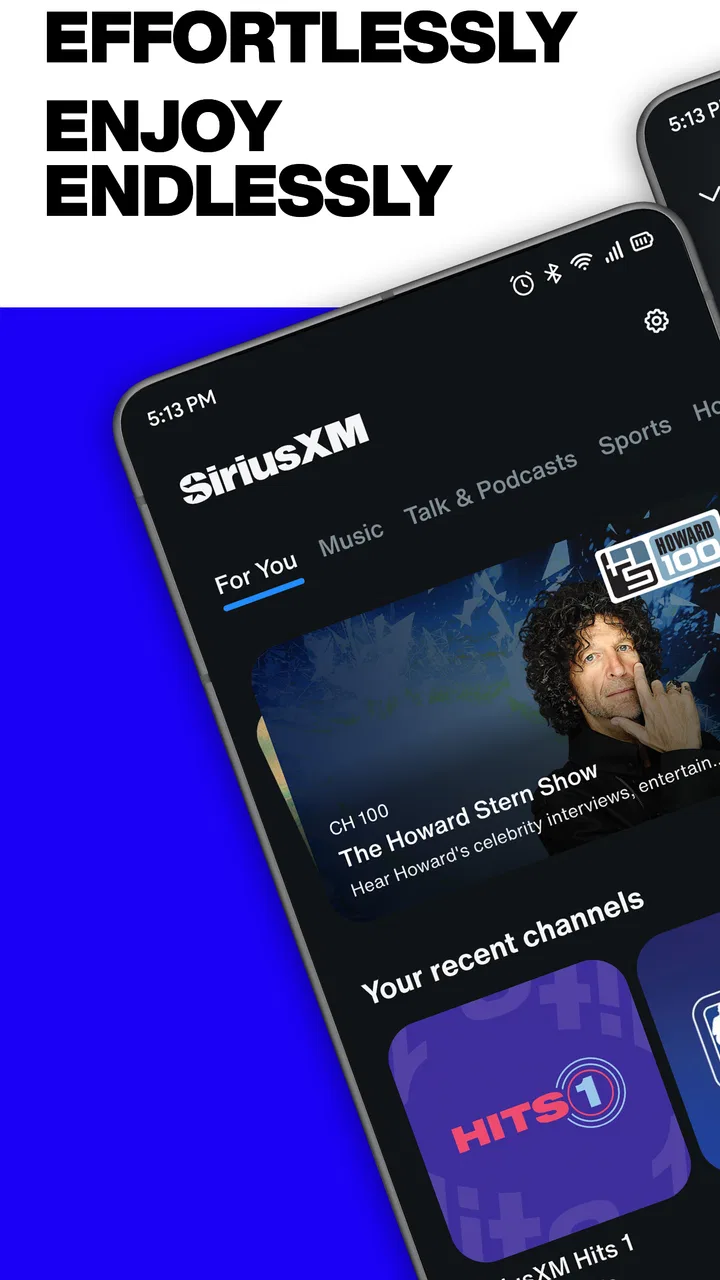
The experience is built around discovery rather than treating the app like a simple folder of downloaded tracks. I found myself thinking in terms of destinations: a music mood, a sports conversation, a podcast, or a program connected to a familiar host or artist. That makes the service especially useful when I know what kind of audio I want but do not want to spend time assembling it myself.
There is also an important distinction between “music app” and “audio service.” The music side is only one part of the experience. Sports radio can be more valuable during a commute or a game-day routine, while podcasts suit moments when I want a longer conversation instead of a sequence of songs. The service works best when I use those parts together rather than judging it only by how quickly it starts a particular track.
I would not install it expecting the same feeling as opening a locally stored music player. The strength is breadth and curation, not a minimalist interface devoted to files already on my phone. That difference is worth understanding before setup, because it determines whether the app feels pleasantly expansive or unnecessarily busy.
Setting up without overthinking the choice
After installing, I recommend beginning with one clear goal instead of trying to explore everything at once. Decide whether your first session is for music, sports radio, or a podcast. That small decision makes the opening experience less overwhelming and gives you a practical test: can the app get you to the kind of listening you actually wanted?
The developer is SiriusXM, and the current Android version is 7.23.1 with support beginning at Android 7.0. That makes the app accessible across a wide range of Android devices, though the actual smoothness of playback will still depend on the phone and connection being used. On an older handset, I would keep the first test simple and give the interface time to load before judging it.
The service includes in-app purchases that range from $1 to $99.99 per item. I would pay close attention to what is presented during the account and subscription flow rather than assuming that every part of the listening experience has identical access. The free installation is convenient, but “free to install” and “every program is available without a purchase” are not the same promise.
For a first-time user, the most reassuring approach is to explore before committing. Open a few different audio areas, start a short listening session, and decide whether the catalog and presentation fit your habits. This avoids paying for a service that sounds attractive in theory but does not match the stations, sports coverage, or podcast style you personally return to.
The first successful action should be deliberately small
My definition of success here is simple: start one piece of audio that I genuinely want to hear, then find it again without confusion. I would begin with a familiar music style or a known sports topic rather than an obscure search. Once playback starts, I would let it run long enough to understand how the app feels during ordinary use instead of immediately jumping between every available section.
A useful test is to use SiriusXM in a realistic situation. Imagine leaving home for a grocery trip and wanting music on the way there, then sports discussion while driving back. The app’s value appears when that change feels easier than opening a music service, a radio app, and a separate podcast player. It is not about replacing every other audio tool automatically; it is about reducing the number of decisions between you and the next thing you want to hear.
Another good first action is to try both a curated music option and a spoken-audio option. Some listeners will discover that they prefer the relaxed flow of curated programming, while others will find that the sports and podcast material is the real reason to keep the app. Testing both prevents the common mistake of judging the entire service after only one music session.
Why curation can be better than endless choice
I appreciate services that help me avoid the “what should I play?” problem. A large on-demand library gives me control, but that control can become work when I am cooking, commuting, or getting ready for bed. SiriusXM’s emphasis on programming shaped by recognizable stars and presenters gives the listening experience a more guided character.
The trade-off is that curation is less precise than building a personal queue from individual songs. I may not get the exact sequence I would have selected, and I cannot treat every channel or program like a private playlist. For me, that is a benefit when I want company in the background and a limitation when I am in a very specific musical mood.
This is one of the app’s less obvious strengths: it can fill the space between traditional radio and a fully personalized streaming library. It feels more intentional than random radio, but less demanding than managing every track myself. That middle ground will appeal to people who want guidance without giving up the ability to choose a different kind of audio when the moment changes.
Common confusion around the different audio types
The biggest adjustment is understanding that music, sports radio, and podcasts serve different listening expectations. A music channel may be designed for a flowing session, while a podcast is something I may want to pause and return to. Sports radio can be time-sensitive and conversation-led, so it may not behave like a playlist that I can casually rearrange.
I also would not assume that a familiar artist’s name means the app works exactly like an artist-only music catalog. The service’s appeal comes from programming and curation, so the surrounding presentation matters. If I want one specific album in a precise order, an ordinary music library may be the more efficient tool. If I want a broader audio environment connected to favorite stars, this app makes more sense.
Another point of confusion is the difference between installing the app and understanding access. Because the download costs nothing, a first-time user may expect the entire service to function like a completely open radio player. I recommend reading each screen during sign-in and purchase decisions carefully. That is not a criticism unique to SiriusXM; it is simply sensible whenever an app combines free installation with optional paid items.
Practical ways to make daily listening smoother
I found that the best workflow is to give each listening situation its own purpose. For a short commute, I would choose a music destination before leaving so I am not browsing while distracted. For a longer trip, I would start with a podcast or sports program and switch only when I actually want a change. This turns the app into a routine rather than a menu I repeatedly inspect.
A second useful habit is to judge a channel or program after a proper session, not after a few seconds. Curated audio often needs time to establish its rhythm. If I skip too quickly, I may mistake a slow opening or an unfamiliar segment for a poor match. At the same time, I would not force myself to keep listening when the tone is wrong; the breadth of the app is there to make switching worthwhile.
A third tip is to separate discovery from commitment. I can use the early sessions to identify which parts of the service I genuinely value, then decide whether those parts justify continued use or an in-app purchase. This is especially important for people who mainly want one narrow feature, such as sports talk. A broad service can be convenient, but paying for breadth is not automatically sensible if I will use only one corner of it.
How it compares with familiar alternatives
Compared with a standard music streaming app, SiriusXM feels less centered on constructing a personal library and more focused on guided programming. A conventional streaming service is usually the better choice when I want exact albums, carefully ordered playlists, or highly specific control over individual tracks. SiriusXM is more compelling when I want music alongside spoken programming and do not mind the service making some of the programming decisions.
Compared with ordinary broadcast radio, the app is more flexible because it brings multiple types of audio into one mobile experience. Traditional radio can still win for instant simplicity, local character, or a familiar station that requires no exploration. SiriusXM wins for someone who wants a wider range of curated audio without limiting the experience to whatever happens to be broadcasting nearby.
Compared with a podcast-only app, it offers a broader change of pace. A podcast specialist may be better for organizing a large personal queue and following a listening routine built almost entirely around episodes. SiriusXM is better for the listener who wants podcasts as one part of a larger audio day, especially when sports radio and music are equally important.
That comparison helped me place the app correctly. It is not necessarily the single best replacement for every audio service. Its strongest position is as a central listening option for people whose interests move between music, sports, and spoken content, and who value curation more than absolute control.
Who should use it, and who should skip it
I would recommend trying it if your listening changes throughout the day and you like the idea of recognizable personalities shaping the experience. It is also a good fit if you often want background audio but dislike repeating the same personal playlists. Sports fans and podcast listeners may find more value here than someone searching only for a basic music player.
I would be more cautious if your main requirement is offline ownership, a perfectly organized personal collection, or complete control over every song transition. The app may feel like extra navigation when all you want is to open an album and press play. I would also skip it if you are unwilling to review purchase screens carefully or if you want a service with one very narrow purpose and no surrounding programming.
The Teen content rating is another reason for families to consider the listening context rather than handing the app over without thought. Sports discussion, news-oriented material, and talk programming can vary in tone, so parents should make their own judgment about what younger listeners hear. The rating does not make the app unsuitable, but it is a reminder that this is broader than a children’s music player.
What I would do after the first session
After finding one successful station, program, or podcast, I would build a small personal routine around it instead of trying to master the whole app. Use one choice for commuting, another for relaxed listening, and a sports or spoken option when music is not the right fit. This makes the service useful quickly and leaves discovery for moments when I have time.
I would also revisit the experience on different days. A service built around varied programming can feel different depending on whether I want energy, background sound, conversation, or current sports discussion. The right question is not “Does every section impress me?” but “Does this app give me enough reliable destinations that I stop reaching for several separate audio apps?”
SiriusXM has been available since December 21, 2010, and its 10-million-plus installs show how established it has become on Android. Those figures do not remove the need to test it personally, but they do make it easier to trust that the app is intended for regular, long-term listening rather than a one-off experiment.
My recommendation after using it
I like SiriusXM most as a flexible audio companion, not as a replacement for every specialized music or podcast tool. Its best moment is the ordinary one: I have a drive, a household task, or a quiet evening ahead, and I want something curated without spending ten minutes deciding what to assemble. The combination of music, sports radio, podcasts, and star-led programming gives it a distinctive role.
There is still friction. The range of content can make the first visit feel less focused, and listeners who expect a completely open, fully personalized music library may be disappointed. The presence of in-app purchases also means I would approach the service deliberately, checking what fits my needs before spending money.
For a first-time user, my advice is to install it, choose one familiar audio interest, and aim for one uninterrupted listening session. Then test a second category before deciding whether the service belongs in your daily rotation. If you want curated audio that moves naturally between music, sports, and podcasts, SiriusXM is worth exploring; if you want exact song-by-song control, a more traditional streaming alternative will probably suit you better.
Overall, I see it as a strong choice for listeners who want variety with direction. It does not try to be only a music locker or only a podcast shelf. Instead, it works as a broad listening hub, and that is precisely why I would recommend it to a friend who keeps switching between separate audio apps throughout the day.
FAQs for SiriusXM: Music, Sports & News
01What is SiriusXM and what content does it offer?
SiriusXM is a streaming service that provides a wide array of audio content, including music, sports, talk shows, and news. With over 300 channels, users can explore genres like rock, pop, jazz, and more. It also offers exclusive sports coverage and insightful talk radio, making it a comprehensive entertainment platform.
02Is SiriusXM available for offline listening?
Yes, SiriusXM allows users to download select music and shows for offline listening. This feature is especially useful for those who want to enjoy their favorite content without using mobile data or when traveling in areas with limited internet connectivity.
03Can I customize my listening experience on SiriusXM?
Absolutely! SiriusXM offers personalized stations curated based on your listening preferences. You can like or dislike songs to refine recommendations and even create custom playlists. This feature ensures that your listening experience is tailored to your unique tastes.
04Does SiriusXM offer a free trial period?
SiriusXM provides a free trial period for new users, allowing them to explore the full range of content before committing to a subscription. This trial gives potential subscribers a chance to experience the app's features and decide if it meets their entertainment needs.
05Is SiriusXM accessible on multiple devices?
Yes, SiriusXM is accessible on various devices, including smartphones, tablets, and computers. Additionally, it can be integrated with smart speakers and some car audio systems, ensuring you can enjoy your favorite content wherever you are, seamlessly transitioning between devices.
Pros
- Extensive channel variety for all tastes.
- Offline listening with download feature.
- Customizable playlists and stations.
- High-quality sound streaming.
- Live sports coverage included.
Cons
- Subscription can be pricey for some users.
- Occasional buffering in low signal areas.
- Limited international content.
- App interface can be overwhelming.
- Some features locked behind premium tiers.

SiriusXM: Music, Sports & News
Gallery